Before You Build the Campaign
Get these in place first, or you'll waste your first month of ad spend:
- The Meta pixel and the Conversions API (CAPI). The Conversions API sends what happens after the lead back to Meta: appointment booked, proposal sent, deal closed. That tells Meta which leads turned into real customers so it can find more people like them.
- An automatic text reply the moment someone submits a form, letting them know you got it.
- Automatic replies on Instagram and Facebook Messenger that say the same thing.
- A follow up email explaining what happens next and that you'll call soon.
- Someone who calls every lead within five minutes. Nothing matters more. Here's why Facebook leads go cold.
- A good website. People will Google you before they ever pick up the phone.
Step by Step Campaign Setup
Step 1: Create a Leads Campaign and Name It Properly
Choose Leads as your campaign objective. Then use a naming convention so you can tell what launched when:
- MM.DD.YYYY | Leads Campaign | Campaign Name
- MM.DD.YYYY | Ad Set | Ad Set Name
- Ad level: just the ad name
Step 2: Campaign Settings
Under campaign details, confirm:
- Buying type is Auction
- Objective is Leads
- Budget is set at the ad set level, not the campaign level
- “Share some of your budget with other ad sets” stays unchecked
Step 3: Choose Instant Forms
In the conversion section, select Instant Forms. Don't choose Website, Messenger or Calls for your first campaign.
Step 4: Set the Performance Goal
Choose Maximize Number of Leads.
Step 5: Limit Your Reach to Your Service Area
When Meta prompts you, click Further limit the reach of your ads. This keeps Meta from expanding your ads beyond the area you serve.
Step 6: Set Your Budget and Start Date
For a first campaign, plan on $15 a day for each ad you're testing. Three test ads means $45 a day. (Here's the full breakdown on how much budget you need.) Set your start date and double check your time zone.
Step 7: Set Your Location
Start with a radius around your main target cities, for example Marietta plus 15 miles. Then uncheck “Reach more people likely to respond to your ads.” Otherwise Meta will push your ads outside your radius.
Later, if you need to tighten your service area, switch to zip codes. Zip codes control location much better than a radius around a city.
Step 8: Set Your Age Range
Edit the age range to fit your buyers, for example 18 to 60. Editing the numbers is important, because that's what makes the “Use as a suggestion” box appear. Make sure it stays unchecked, or Meta will treat your age range as optional.
Step 9: Keep Your Audience Broad
This is where most owners go wrong. They build tight interest audiences and restrict them too heavily. Meta is too good at finding buyers now. Lock your location, but leave interests broad and let Meta decide who sees your ad. If you're getting bad leads, fix it with qualifying questions on your form, not tighter targeting.
Step 10: Set Your Placements
At the ad set level, click Show More Settings, then:
- Uncheck Audience Network. Only Facebook and Instagram should stay on.
- Edit placements and keep only Feeds and Stories, Status and Reels.
- Under Feeds, keep only Facebook Feed, Facebook Profile Feed, Instagram Feed and Instagram Profile Feed.
- Leave Stories, Status and Reels as they are.
- Turn off every other placement category. This turns off Advantage+ placements.
The old version of this post told you to use Advantage+ placements. Don't. It spreads your budget across placements that rarely produce quality leads for contractors.
Step 11: Check Your Page and Instagram
Confirm the right Facebook Page and Instagram account are connected.
Step 12: Turn Off Multi Advertiser Ads
Leave Multi Advertiser Ads unchecked. Otherwise your competitors' ads can show up right next to yours.
Step 13: Write Your Copy
- Primary text: the main description above your video
- Headline: always a question when you can
- Description: leave it as a single space
Meta's Advantage+ text options are the one Advantage+ feature we use. Meta will suggest alternate versions of your primary text, headlines and descriptions, rotate them and favor the winner. Every other Advantage+ setting stays off.
Step 14: Turn Off Enhancements
Under Essential Enhancements, click Edit and turn everything off. Do the same for Advantage+ creative enhancements. These let Meta change your video, copy and call to action without asking you.
Meta turns new settings on by default without warning. Review every checkbox on every campaign, even if you've built a dozen before.
Step 15: Preview Everything
Check every placement preview. Make sure text isn't cut off mid sentence, video thumbnails look right and the formatting works on Facebook and Instagram.
Your Final Checklist Before You Publish
- Leads objective
- Ad set budget, not campaign budget
- “Share some of your budget” unchecked
- Instant Forms selected
- Multi Advertiser Ads unchecked
- Budget and start date correct
- Service area correct, with “Reach more people” unchecked
- Age range edited, with “Use as a suggestion” unchecked
- Facebook and Instagram placements only
- Correct instant form selected
- Headline, primary text and description reviewed
- Previews checked for cut off text
- All Essential Enhancements off
- All Advantage+ creative enhancements off
Instant Form or Landing Page?
For a first campaign, use an instant form. Collect the lead's information right inside Facebook, then send them to your website after they submit so they can see who you are.
Questions to Put on Your Form
Qualifying questions are how you control lead quality. Start with:
- Are you the homeowner?
- What service are you looking for?
- How soon are you looking to start?
- What's your address?
- What's your budget? For a pool builder, that might be under $80K, $80K to $100K, $100K to $120K, or $120K and up.
If lead quality is low, add questions. You can also ask people to verify their phone number. If quality is great but volume is too low, remove a question. For more on this balance, read how to lower your cost per lead.
What to Film for Your First Ad
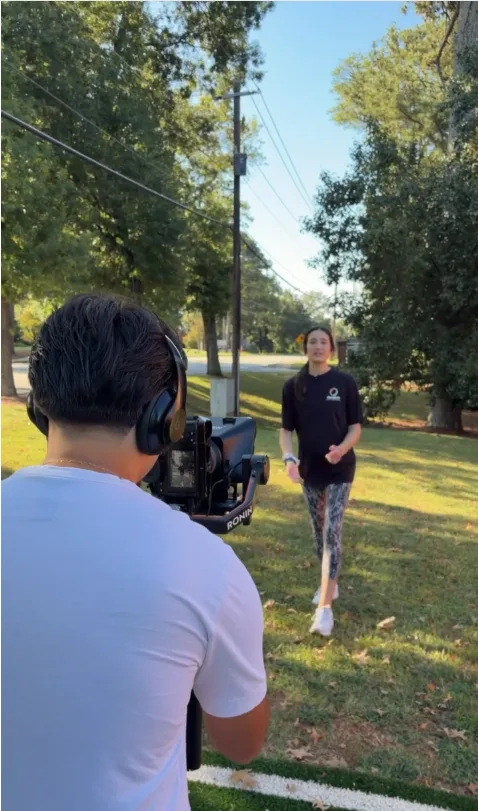
You can film your first ad on an iPhone. One of the strongest options is walking through a real customer's experience, start to finish, then having that customer give you a testimonial on camera.
The Structure of a Strong Ad
- 1. Call out your audience. “Georgia homeowners, this is for you.” Then get specific: “If your deck is more than five years old...”
- 2. Make the offer right away. “We're offering a free lighting upgrade on your back deck for the first five homeowners, in exchange for letting us film before and after photos for our website.”
- 3. Agitate the pain. Remind them what it's costing them to wait.
- 4. Explain why you're the obvious choice. Five star reviews, testimonials, your experience.
- 5. Give a call to action. “Click below to learn more” or “Click below to claim the offer.”
Your Simple Shot List
- Gear: a tripod and a microphone
- Cut after every sentence
- If you can't remember a line, break it into shorter pieces with more cuts
- Change angles between cuts: close up, then wide
- Film a few different hooks so you can test them
A Real Script Example
Here's a script we wrote for CBA Sports, a Georgia sports court builder. Notice the three hook takes, the offer, the objection, the proof and the call to action.
Hook take 1: North Atlanta parents, are you tired of your kids spending every day on their phones? Then this is for you.
Hook take 2: Georgia parents, if your kids have been begging for a court, this is the year we make it happen.
Hook take 3: Georgia parents, imagine knowing exactly where your kids are, because they're playing in your backyard.
Body: Here's the deal. We're offering $1,000 off your backyard court this season, plus a pro lighting package so the game doesn't stop at sunset, and a completely free 3D rendering so you can see the court before we break ground.
But you might be thinking, do they even know how to build courts? When your company president is a Hawks legend, “good enough” doesn't make the cut. (Here we cut to footage of Dominique Wilkins.) Hall of Fame quality. Competitive pricing. Financing available. We're bringing that experience to your backyard, so you can be proud when the whole neighborhood comes over to play.
Tennis, basketball, volleyball, pickleball, lacrosse or soccer rebounders. Our favorite? Multipurpose courts, because interests change over a lifetime.
Call to action: So click below, answer a few short questions, and if you qualify, you'll come into our facility where the kids can test all our courts, and you'll see the full 3D rendering of your backyard. Free. Now your kids can walk outside and play on a court built by people who build them at the professional and college level. Who wouldn't be excited to get off their phone and come play?
For more on scripting, read how to write a Facebook ad for a home services business.
How Your First Three Ads Should Differ
Test hooks first. Run three ads in the same campaign, each with a different hook and the same body, at $15 a day each. Once you find the winning hook, test different offers and calls to action.
And never stop testing. There should always be an A/B split test running somewhere in your ad account: primary text, video, headlines or descriptions.
What to Watch in Your First Week
Only one thing: lead quality. Are these real homeowners in your area who want what you sell?
Ignore cost per lead and the other vanity metrics for now. You don't know yet how they connect to closed jobs. Let the ads run a full seven days before making changes. Sometimes we go two weeks before touching anything, until the campaign is out of the learning phase. Here's more on how long it takes to see results.
When Should You Call an Agency?
Running ads well means learning a lot of skills: Meta Ads Manager, copywriting, scripting, videography, video editing, attention and hooks, launching and managing campaigns. When you have too many other responsibilities to learn all of that, it's time to get help.
The moment you have the money to buy back your time, an agency becomes worth it. Someone else has already spent years learning what works. We have, and we've learned a lot along the way. For the full comparison, read should I hire a Facebook ads manager or run ads myself.
Start Simple and Keep Testing
Use a leads campaign with instant forms. Lock your location, keep your audience broad, keep placements to Facebook and Instagram feeds, stories and reels, and turn off every Advantage+ setting except text options. Film real hooks, test them at $15 a day each, and judge your first week on lead quality.
Want us to handle it? See how our system works, check our results, or book a call.
Book a callFrequently Asked Questions
What campaign objective should contractors use for Facebook ads?
Leads, with Instant Forms as the conversion location and Maximize Number of Leads as the performance goal. Set the budget at the ad set level, not the campaign level.
Should I use Advantage+ settings?
Only Advantage+ text options. Turn off Advantage+ placements, Essential Enhancements and Advantage+ creative enhancements, and uncheck "Reach more people likely to respond to your ads." Meta turns new settings on by default, so review every checkbox on every campaign.
Which placements should I use?
Facebook and Instagram only. Keep Facebook Feed, Facebook Profile Feed, Instagram Feed, Instagram Profile Feed, and Stories, Status and Reels. Turn off Audience Network and every other placement.
How much should I spend on my first Facebook campaign?
$15 a day for each ad you test. Three test ads, each with a different hook and the same body, means $45 a day.
Should I use an instant form or a landing page?
For a first campaign, an instant form. Add qualifying questions like homeownership, service, timeline, address and budget, then send people to your website after they submit.
What should I watch in the first week?
Lead quality only. Ignore cost per lead for now and let the ads run a full seven days before making changes.